Open admin.debitcredit.app on any computer and work on the same ledgers as your phone — with a full keyboard, wide tables and one-click statements.
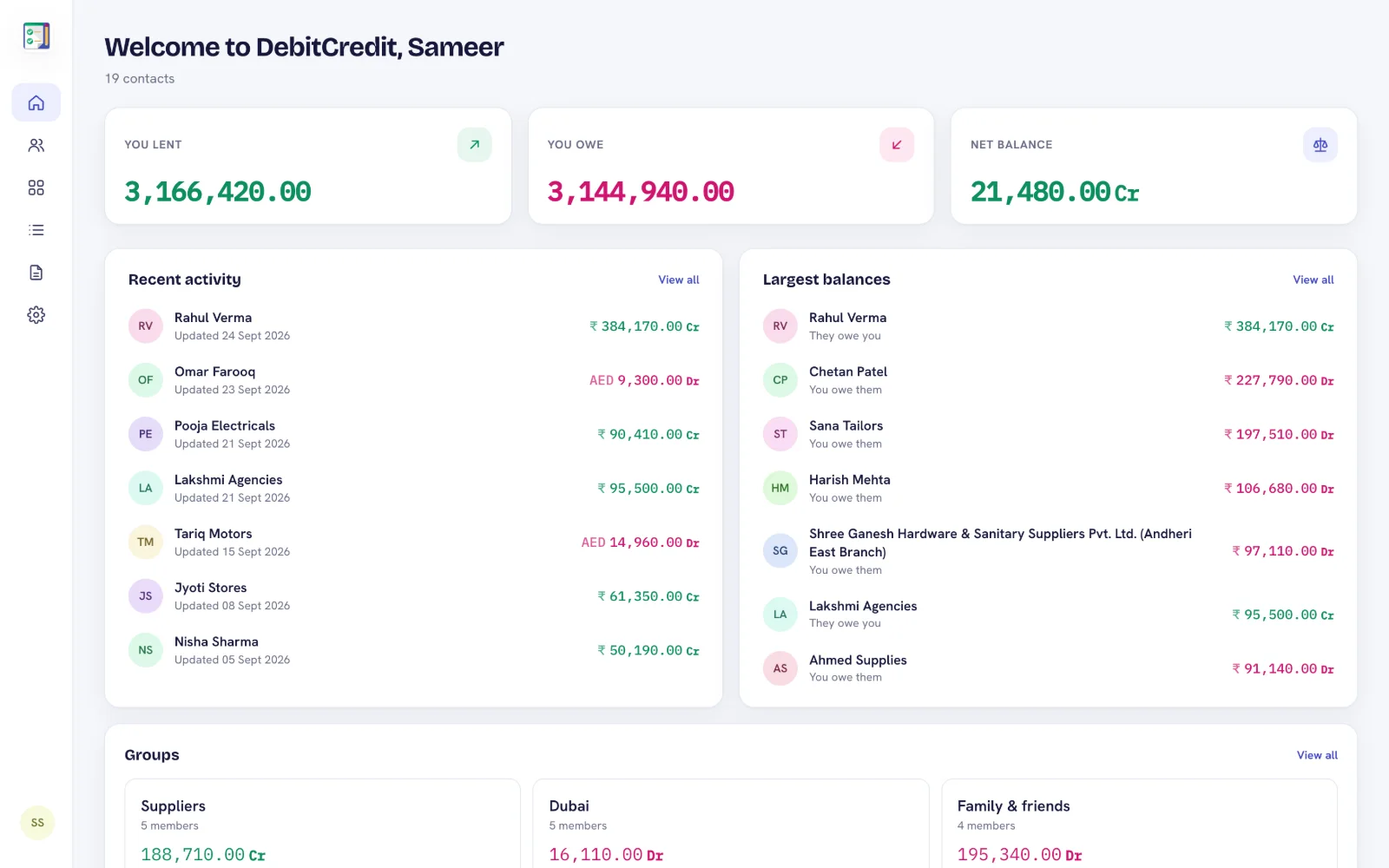
Month-end reconciliation, sending statements to fifty customers, checking a supplier's account while they're on the phone — the web app is made for the jobs that are slow on a small screen.
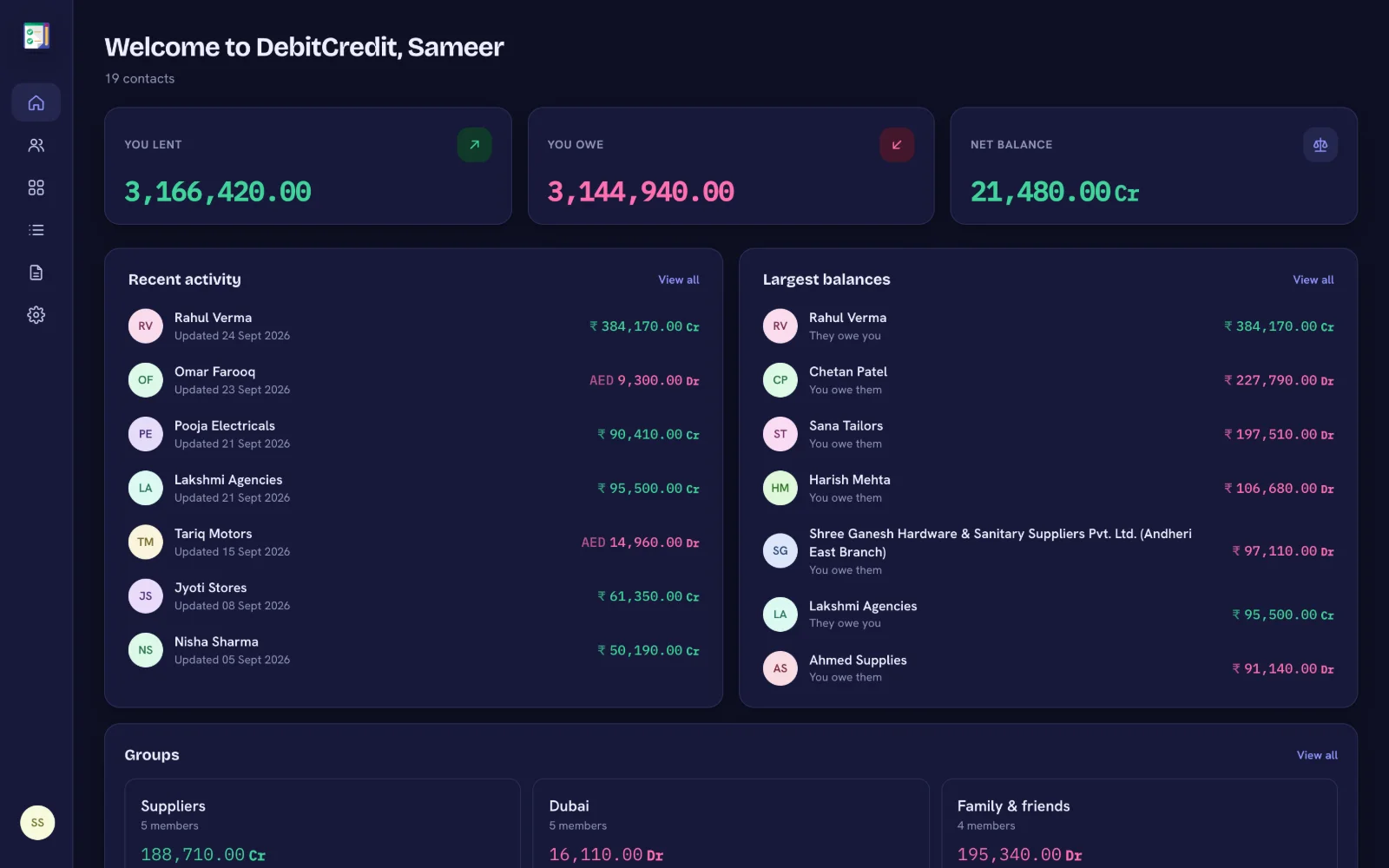
See what you lent, what you owe and your net balance the moment you sign in, with recent activity and the largest balances.
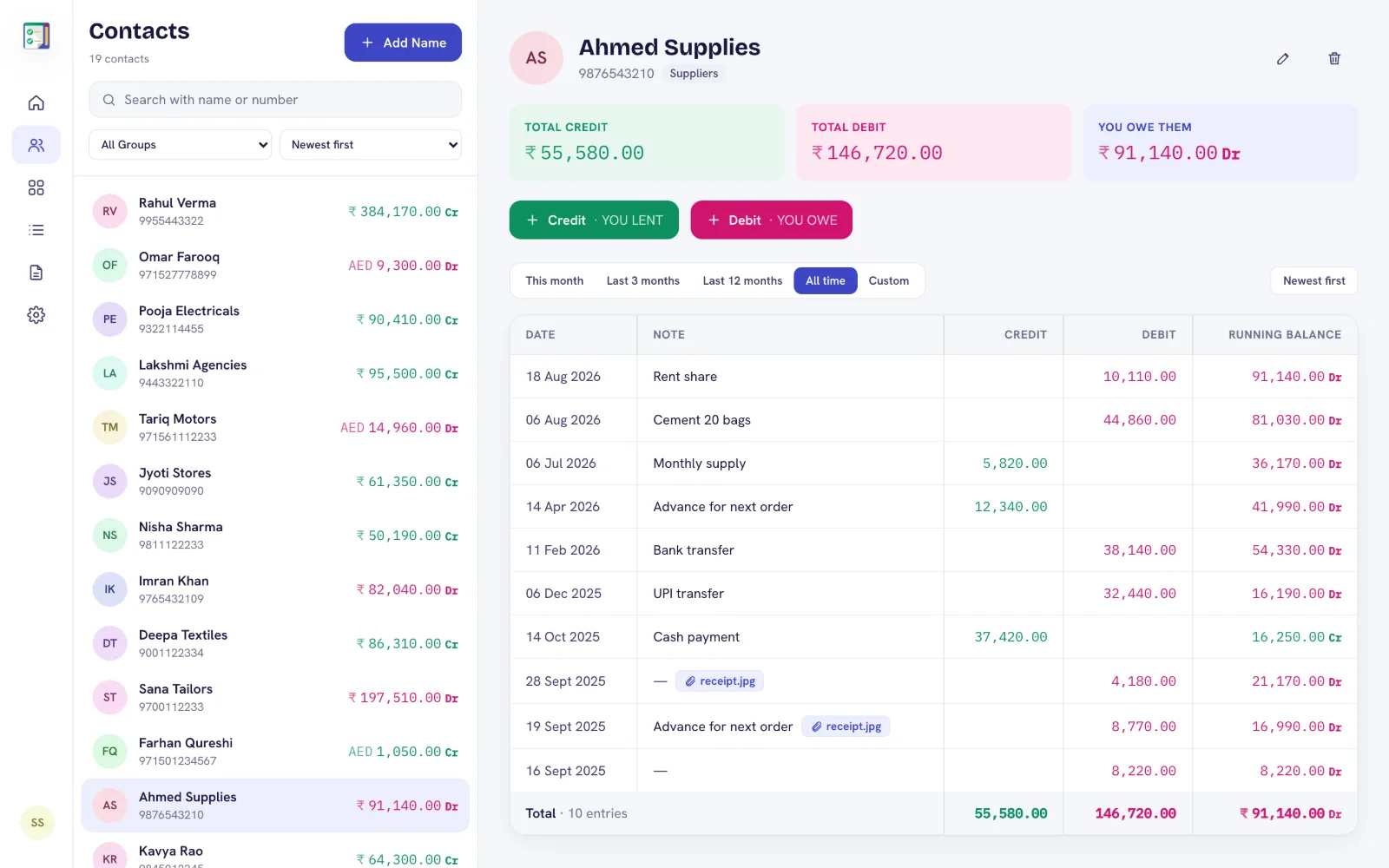
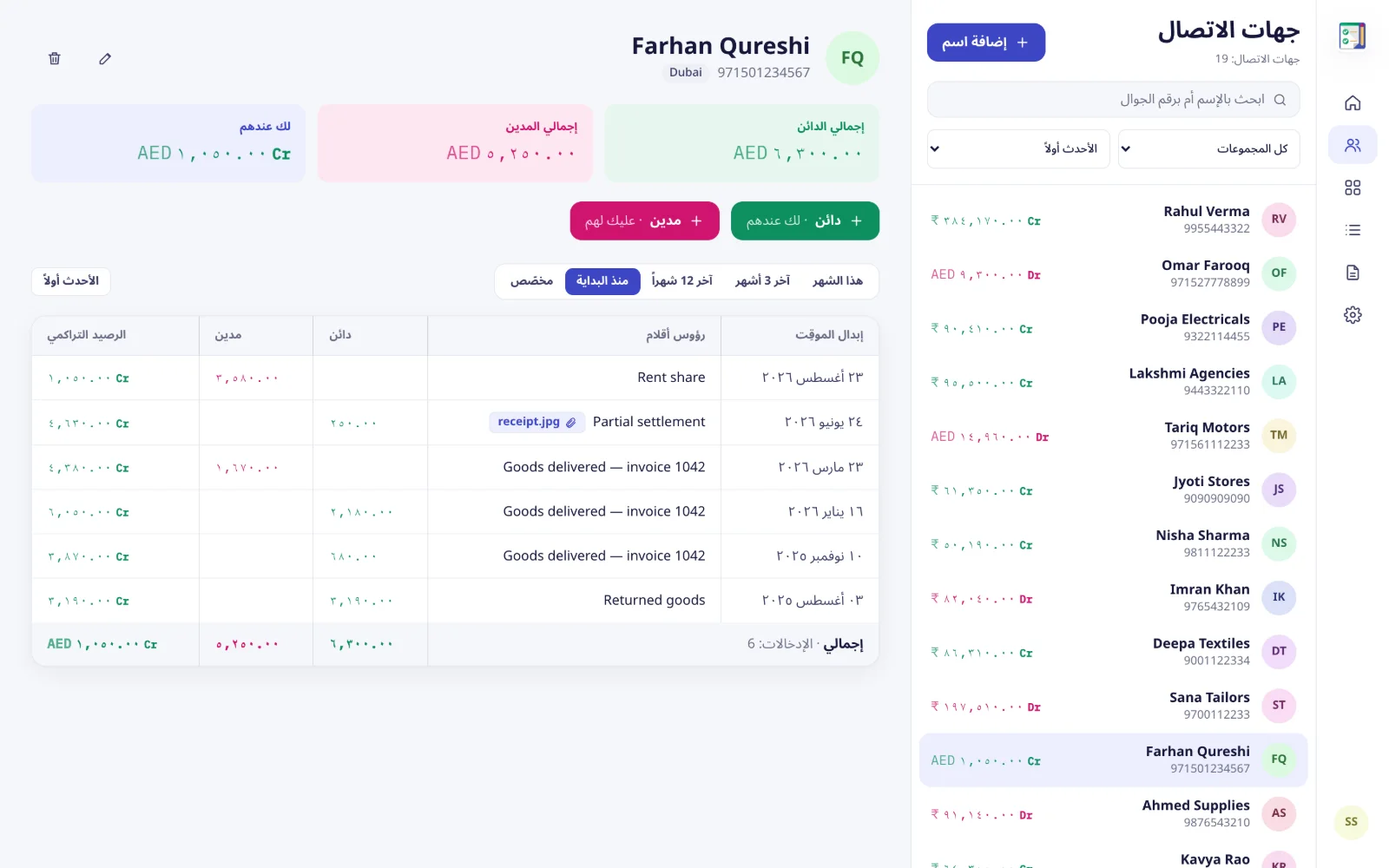
Search and sort contacts, open a ledger with date, note, credit, debit and a running balance column — exactly like a bahi khata.
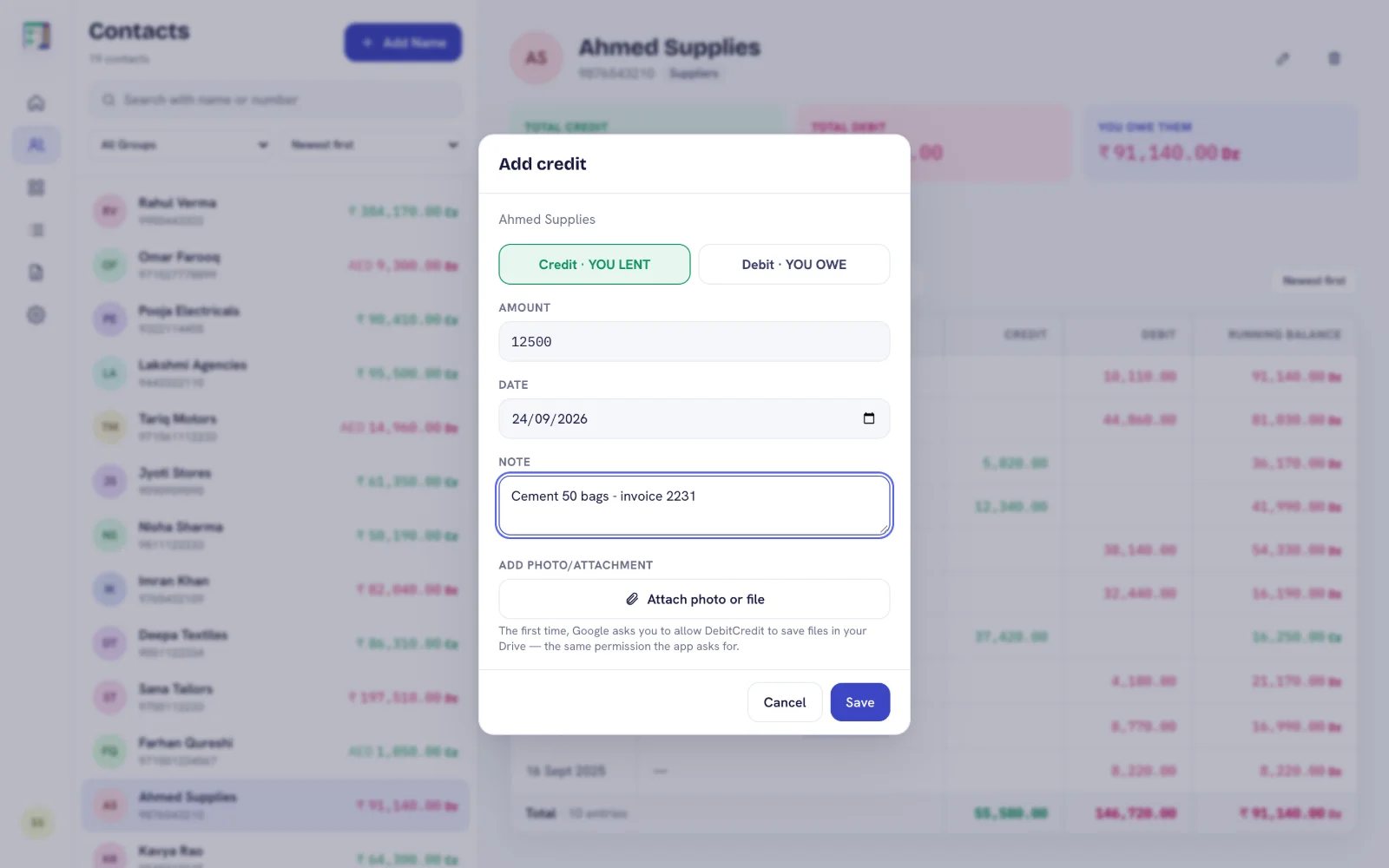
Type credit or debit entries with a keyboard, attach a bill photo, fix a typo or switch an entry between credit and debit.
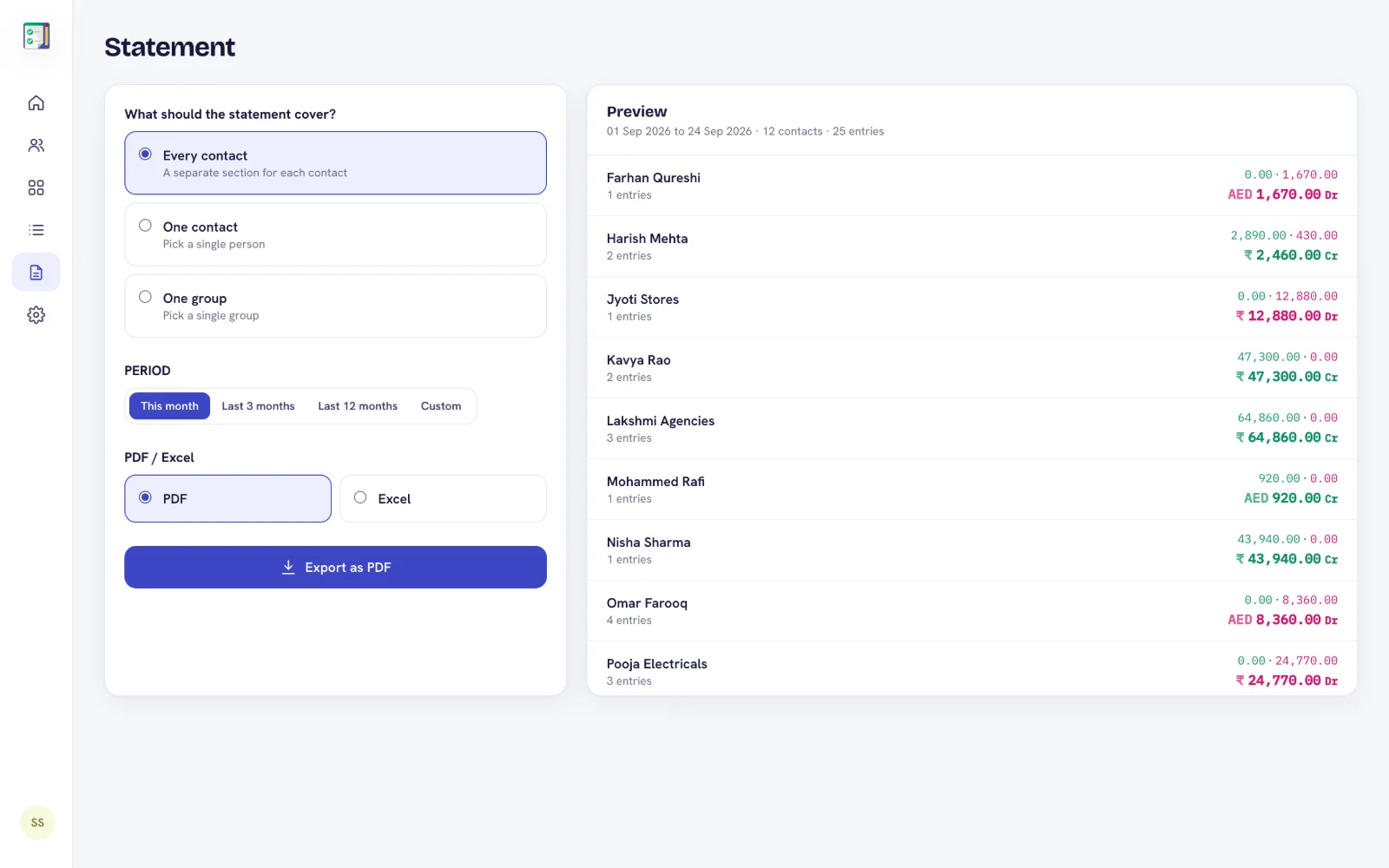
One click creates a branded statement with your letterhead, or an Excel sheet with real numbers and totals.
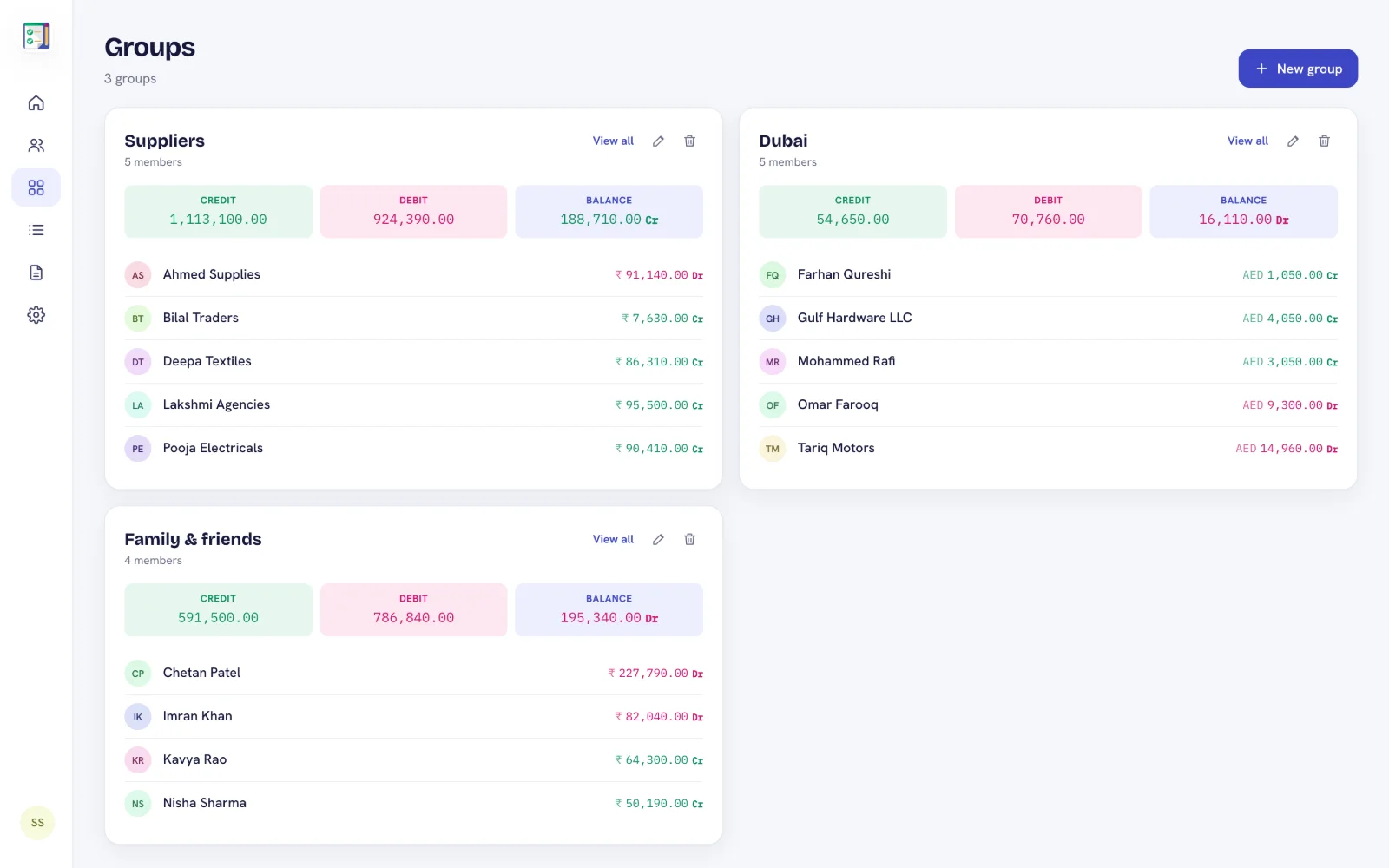
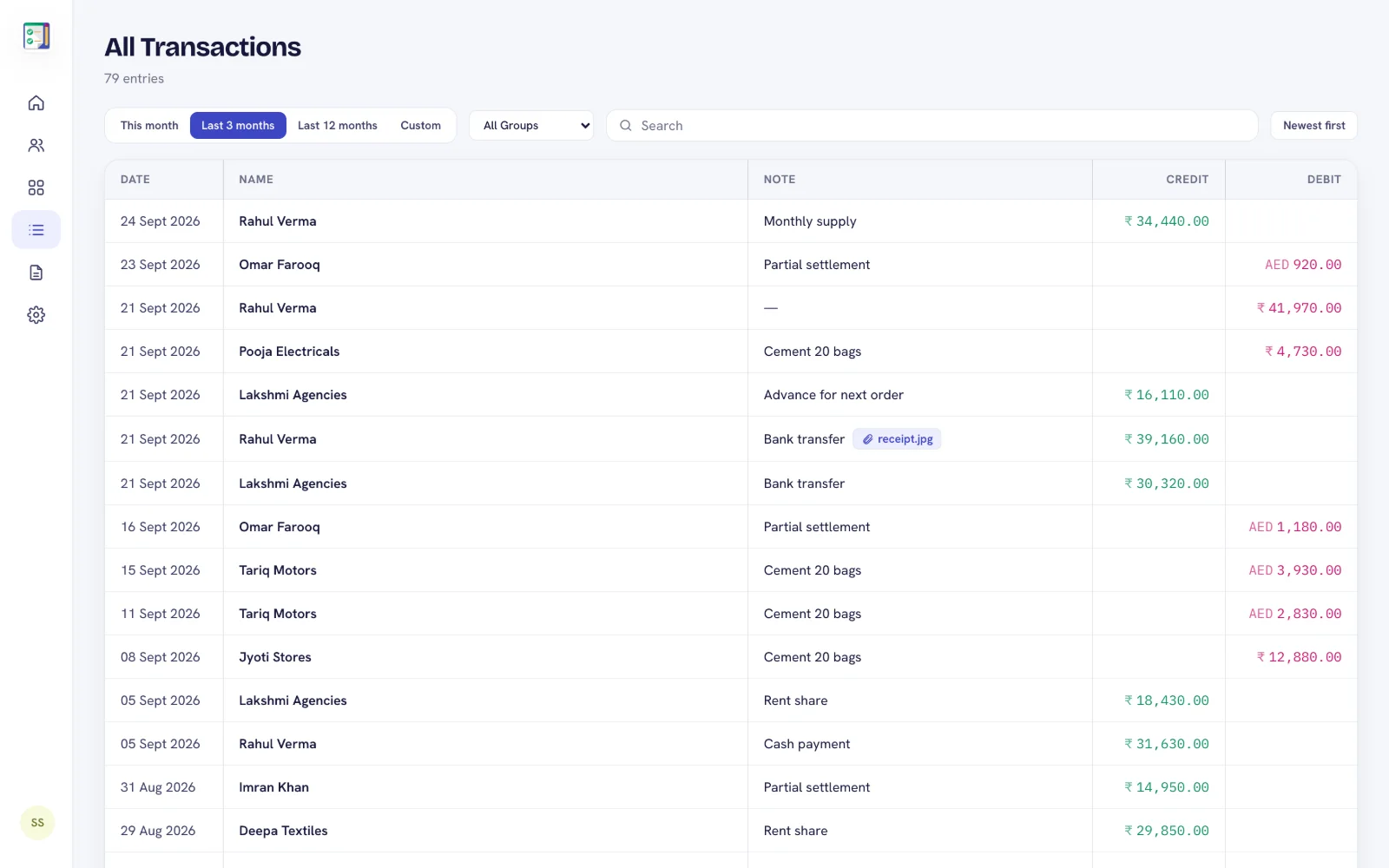
See balances per group, and search every entry across all contacts for any period.
English, Hindi, Gujarati, Arabic and Urdu (right-to-left), light and dark mode.
Install DebitCredit on Android, sign in with Google and add your contacts. Your ledger is backed up to your account.
Upgrade inside the app. Web access is included, along with higher limits and statements.
Sign in with the same Google account on your computer. Everything is already there.
DebitCredit Web is the browser version of the DebitCredit ledger app, at admin.debitcredit.app. It shows the same contacts, entries, groups and balances as the Android app, so you can manage your khata on a computer or tablet with a big screen and a real keyboard.
The web app is included with the DebitCredit Premium and Plus subscriptions. Start in the Android app, subscribe there, and then sign in on the web with the same Google account. Free accounts can sign in and see a preview of their totals.
No. The web app and the Android app share one account and sync automatically. An entry added on the web appears in the app, and an entry added in the app appears on the web within seconds.
Yes. You can add credit and debit entries, edit or delete them (with undo), attach photos and bills, add and edit contacts, and create groups, all from your browser.
Yes. Create a PDF or Excel statement for one contact, one group or every contact, for this month, the last 3 or 12 months, or a custom period.
Yes. The web app works in any modern browser on Windows, Mac, Chromebook, iPad and iPhone. On Android phones we recommend the DebitCredit app, which also works offline.
You sign in with your Google account, your data is protected by account-level security rules, and every change you make on the web is checked so it can only ever touch your own ledger.
Download DebitCredit for Android, then open admin.debitcredit.app to see the same ledgers on the big screen.