
Two directions of credit, one clear picture
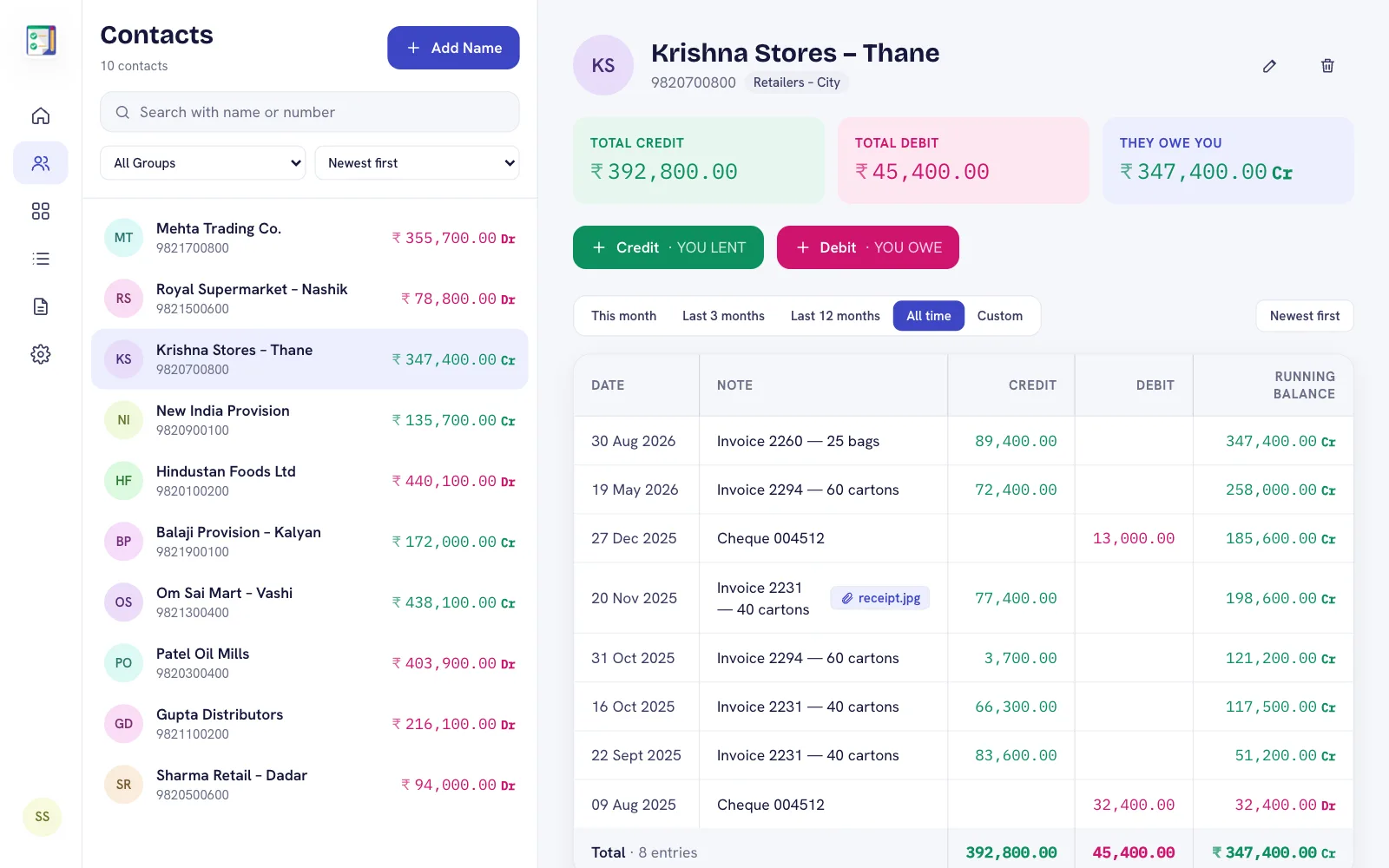
With a supplier, you usually owe money; with a retailer, they owe you. DebitCredit handles both: every contact has a running balance marked Cr (they owe you) or Dr (you owe them), and the dashboard shows your total receivable and payable at once.
Organise with groups
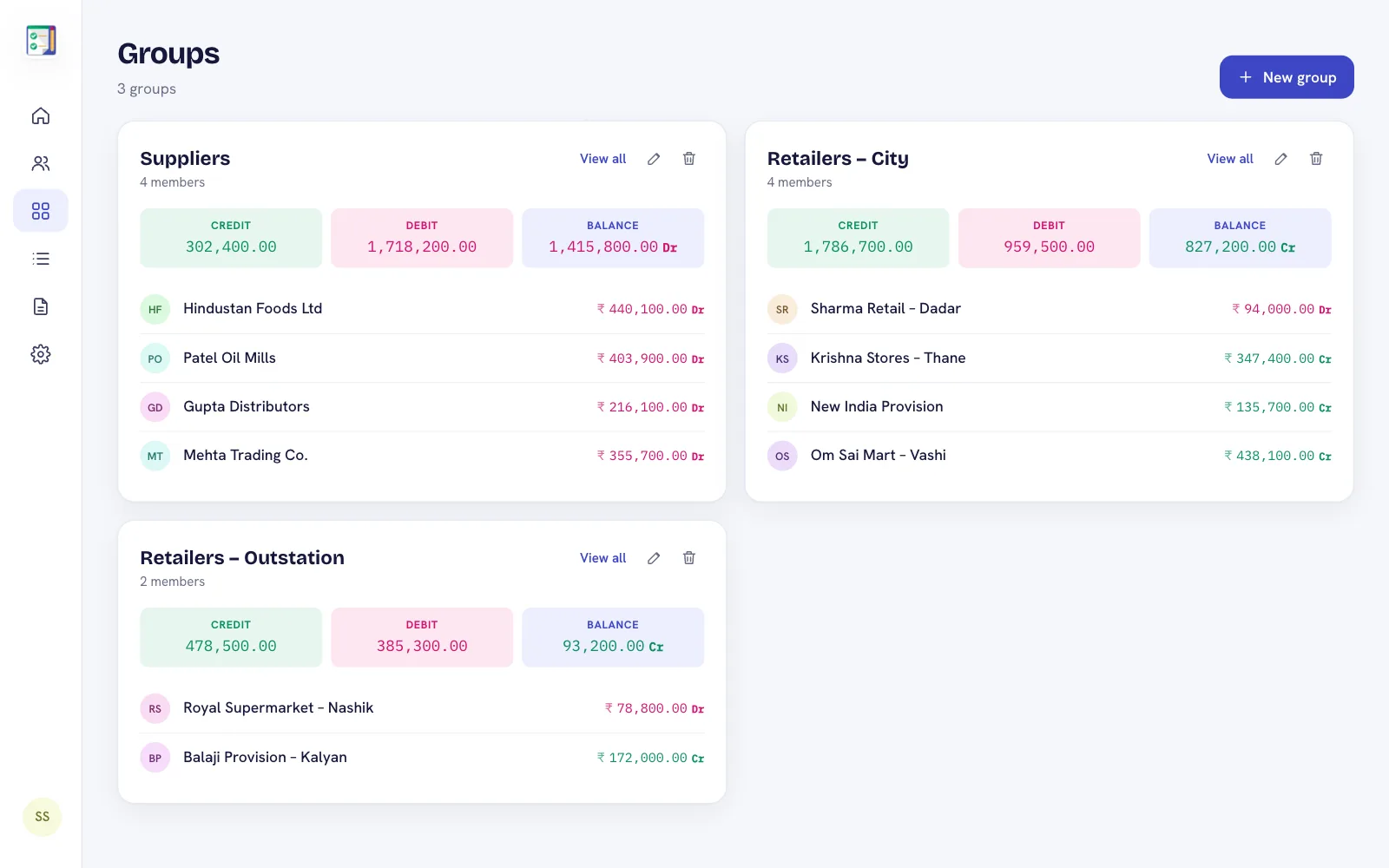
Create groups such as Suppliers, Retailers – City or Retailers – Outstation. Each group shows its combined balance, so you can see in a second how much the whole market owes you, or how much you owe all suppliers together.
Statements that settle arguments
- Create a PDF statement with your company letterhead, totals and net balance for one party, a group or everyone.
- Export to Excel with real numeric cells, ready for your accountant.
- Send a PIN-protected ledger link so a retailer can check their account themselves.
Office work on a computer
With Premium or Plus, your office staff can use the web app at admin.debitcredit.app to enter purchases and payments with a keyboard, attach bill photos and download statements — the same data as the salesman's phone.
Frequently asked questions
Can I track both suppliers and customers?
Yes. Each contact has its own ledger and running balance, whether they owe you or you owe them.
Can I export statements to Excel?
Yes. Statements can be exported as PDF or as an Excel file with real numbers and totals.
Can more than one person use the same account?
The app and the web app use the same Google account, so you can work on the phone and on an office computer with the same data.